WAV to SRT Converter
Convert WAV to SRT directly from Pro Tools, Adobe Audition, Logic Pro, or field-recorder stems. Local browser resampling shrinks 500 MB WAV files so transcription starts fast.
Drag & drop your video or audio
MP3, WAV, M4A, MP4, MOV, WebM, MKV · Up to 1 GB · Free up to 5 min, no sign-up
More ▾
How Studio WAV to SRT Conversion Works in Three Steps
Drop uncompressed 16-bit or 24-bit stems
Skip bouncing a temporary MP3 proxy out of Premiere, Audition, or Logic Pro. Feed your master dialogue WAV stem directly into the staged dropzone.
Client-side 16 kHz resampling cuts size by 95%
A 10-minute 48 kHz stereo 24-bit master weighs ~170 MB. Local WebAudio downsampling shrinks speech to ~19 MB mono in memory before WAV to SRT transcription begins.
Export Netflix-grade 42-char SRT or FCPXML
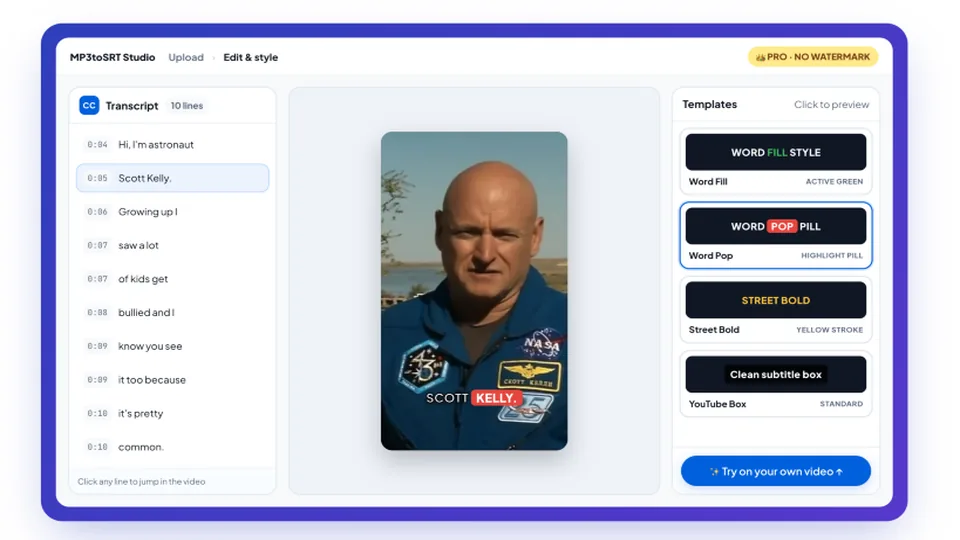
Apply strict 32-character cinema or 42-character broadcast line ceilings, verify cues on the waveform, and export .SRT, .VTT, .ASS, or .FCPXML straight back into your NLE.
Why Direct WAV to SRT Beats Bouncing Lossy MP3 Proxies
Comparing raw studio dialogue stems against heavily compressed web audio for automated speech recognition and timeline round-tripping.
Uncompressed Studio WAV vs. Lossy MP3 Workflow
| Post-Production Metric | Uncompressed Studio WAV | Compressed Web MP3 | MP3toSRT Optimization |
|---|---|---|---|
| Typical 10-Min Stem Size | 105 MB – 175 MB (stereo 48 kHz) | 9 MB – 14 MB (128–192 kbps) | Browser downsamples WAV locally before upload |
| Sibilance & Consonant Clarity | Pristine PCM transients | High-frequency smearing on fast speech | Sharper word boundaries on technical terms |
| Frame-Accurate Sync Drift | Zero sample-padding drift | MP3 headers add ~26–50 ms offset | WAV to SRT locks cues to frame 00:00:00 |
| Isolated Dialogue Bus (DX) | Solo VO stem without loud music | Often full stereo mixdown | Zero music hallucinations during pauses |
Transcribe your isolated dialogue bus (DX)
Mixing a documentary or commercial? Mute music and SFX buses, bounce the dialogue stem as WAV, and generate near-100% accurate captions on the first pass.
Zero MP3 encoder-delay sync drift
Lossy MP3 headers introduce 20–50 ms of silent encoder padding that can nudge captions off hard scene cuts. Direct WAV to SRT keeps timing locked to picture.
Broadcast & cinema character limits
Use Style & Translate to enforce exact Max chars (32 for cinema, 42 for broadcast/YouTube) and re-segment your entire transcript instantly without re-uploading.
Round-trip to DaVinci, Premiere & FCP
Import the generated .SRT onto your subtitle track in Premiere Pro or DaVinci Resolve Free, or export .FCPXML to spawn editable Basic Title clips on your Final Cut spine.
Batch Find & Replace for client glossaries
Standardize recurring brand names, medical terminology, or speaker surnames across an hour-long interview WAV using the built-in Find & Replace bar.
Client approval Word (.DOCX) script
Deliver both the timed .SRT subtitle file for post-production and a timestamped Microsoft Word .DOCX script for legal or agency sign-off from one pass.
More audio, video and subtitle converters
Simple pricing, no forced subscription
Short files are free. Pay once when you need more.
- Files up to 5 minutes
- Full 3-pane editor & SRT export
- Word Fill & standard styles
- TXT / LRC / VTT converter
- Files up to 2 hours
- Captioned MP4 video burn-in
- Speaker labels & bilingual SRT
- Credits never expire
- Everything in Creator Pass
- Unlimited conversions
- Priority processing
- Cancel any time
Frequently asked questions
Can I upload a 24-bit 48 kHz or 96 kHz broadcast file directly to WAV to SRT?
Yes. Modern Chromium, Safari, and Firefox WebAudio engines decode 16-bit, 24-bit, and 32-bit float PCM WAV files locally and resample them to 16 kHz mono before upload.
Why does my 300 MB WAV file finish in seconds instead of timing out?
Because raw 48 kHz stereo PCM bytes never travel over your internet connection. Resampling happens in memory on your machine, cutting upload volume by 90% to 96%.
Should I convert WAV to MP3 first before generating subtitles?
No—bouncing an MP3 proxy adds manual DAW work and introduces 20–50 ms of encoder padding drift. Dropping your master file into WAV to SRT is faster and cleaner.
How long can a studio WAV recording be?
Clips up to 5 minutes convert from WAV to SRT free without sign-up. With the one-time $4.99 Creator Pass, stems up to 2 hours process via seamless 12-minute chunks.
How do I import the .SRT back into Adobe Premiere Pro or DaVinci Resolve?
In Premiere Pro, choose File > Import, pick your .srt, and drag it onto the caption track. In DaVinci Resolve, choose File > Import > Subtitle and drop it onto a Subtitle Track.
Does this work with field recorders like Zoom H6, Tascam, or Rodecaster?
Yes. Standard mono and stereo PCM WAV files from Zoom, Tascam, Sound Devices, and Rodecaster units open directly in the browser.
Convert WAV to SRT Online Free
Drop uncompressed 16-bit or 24-bit studio stems above—zero pre-conversion to MP3 required.